

Your competitor wins nearby You just didn't know
A coordinate-level local SEO ranking grid shows you exactly where your business is visible and which competitors are winning where you're not. A full Google Business Profile layer lets you act on these insights without switching tools.
7-day free trial · No credit card required
Your Google listing says you're open It doesn't say you're invisible
Google's own tools tell you your listing exists. They don't tell you a competitor has owned position 1 in the local pack for every nearby search that matters, for months. Or that your listing is missing the fields that determine whether Google shows you at all.
You don't know how you appear a few streets away
Ranking #1 right outside your door doesn't mean customers two suburbs over can find you. Your local visibility is a patchwork that shifts with every coordinate. Most businesses have never seen their actual ranking map.
A competitor owns the map, and you don't know who
For every grey pin on your map, there's a domain winning that position instead of you. Without seeing which competitor, and at which exact coordinates, you're competing completely blind.
Your Google listing has silent problems you haven't noticed
Profile completeness gaps, unanswered reviews dragging your response rate, listing fields changed by Google without your knowledge: none of this surfaces unless you know where to look.
Customer action drops aren't bad luck, they're measurable
Fewer phone calls from Google. Fewer direction requests. Without daily trend data and day-over-day percentage changes, you can't tell bad luck from a fixable problem in your listing.
Not a city estimate A pin on every block
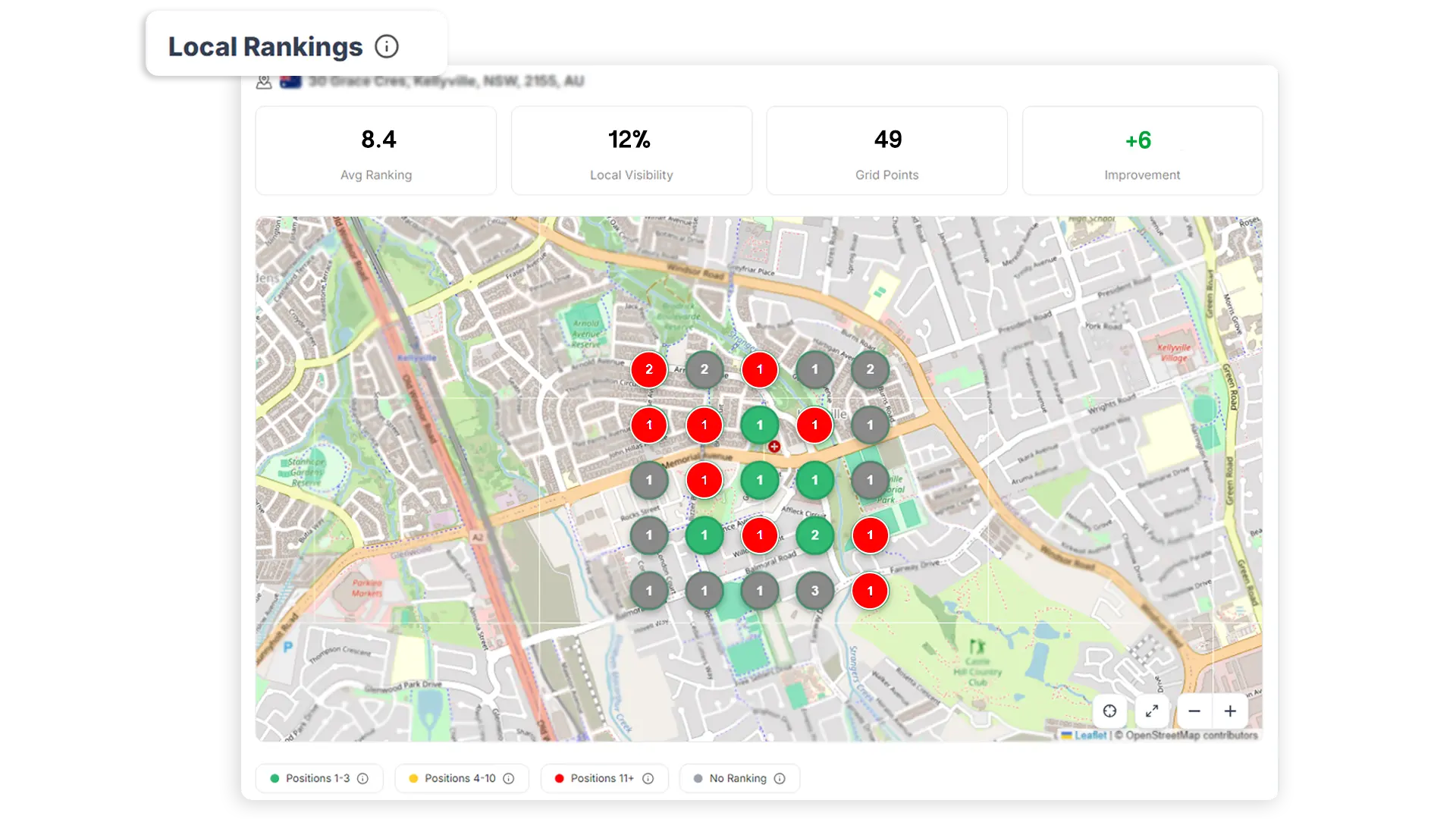
A matrix of real-world coordinates laid over your actual neighbourhood, each one showing your exact ranking position at that point on the map. The colour of the pin tells the story instantly.
Searchers at this coordinate find you first. Every green pin is a customer you're not missing.
On the first page. But position 1 belongs to someone else at this location.
Ranking, but rarely reached. Searchers here almost never find you.
A competitor owns this position. You don't appear for any searcher at this coordinate.
Expand any keyword row in the breakdown table to see the competitor domain holding the local pack #1 position at each individual grid coordinate.
Start Free Trial →Set it up once See your neighbourhood in minutes
Add your address, choose your grid, add a keyword. The pins appear within minutes and the picture of your local presence becomes impossible to unsee.
Add your address and set your grid
Enter your business address. The map zooms to your street. Choose your grid size (3×3 to 15×15), the gap between points, and whether to measure in km or miles. A preview materialises on the map, with placeholder dots showing exactly which area you'll track.
Add a keyword, watch the pins appear
Type your main keyword: "dentist near me", "best pizza delivery", "emergency plumber". The system queries rankings across every grid point. Placeholder dots transform into coloured numbered pins. The grey ones are the gut-punch.
- Local pack position and organic position tracked separately at each coordinate.
- Stat bar shows Avg Ranking, Local Visibility %, Grid Points, and period-over-period Improvement.
- Switch keywords instantly, and the map updates for each.
Expand any keyword to see who's winning where you're not
The Geo-Ranking Breakdown table shows per-grid-point data for every keyword: your rank, the local pack position, the organic position, and the competitor domain holding the #1 local pack spot at each grey coordinate.
- "Local Pack Winners" column: the named competitor domain at every grey pin.
- Track multiple locations and switch between them from a single dropdown.
- "All Tracking Points" view: all locations in one combined table.
| Grid Point | Your Rank | Local Pack | Organic | Local Pack Winner |
|---|---|---|---|---|
| A1 | 2 | 2 | 4 | You |
| A2 | 7 | – | 7 | competitor-a.com |
| B1 | 1 | 1 | 1 | You |
| B2 | 14 | – | 14 | competitor-b.com |
| C1 | – | – | – | competitor-c.com |
Five things your listing is doing wrong, silently
Most business owners check their listing, see it looks fine, and assume it's working. Here's what "looking fine" doesn't tell you.
See your listing health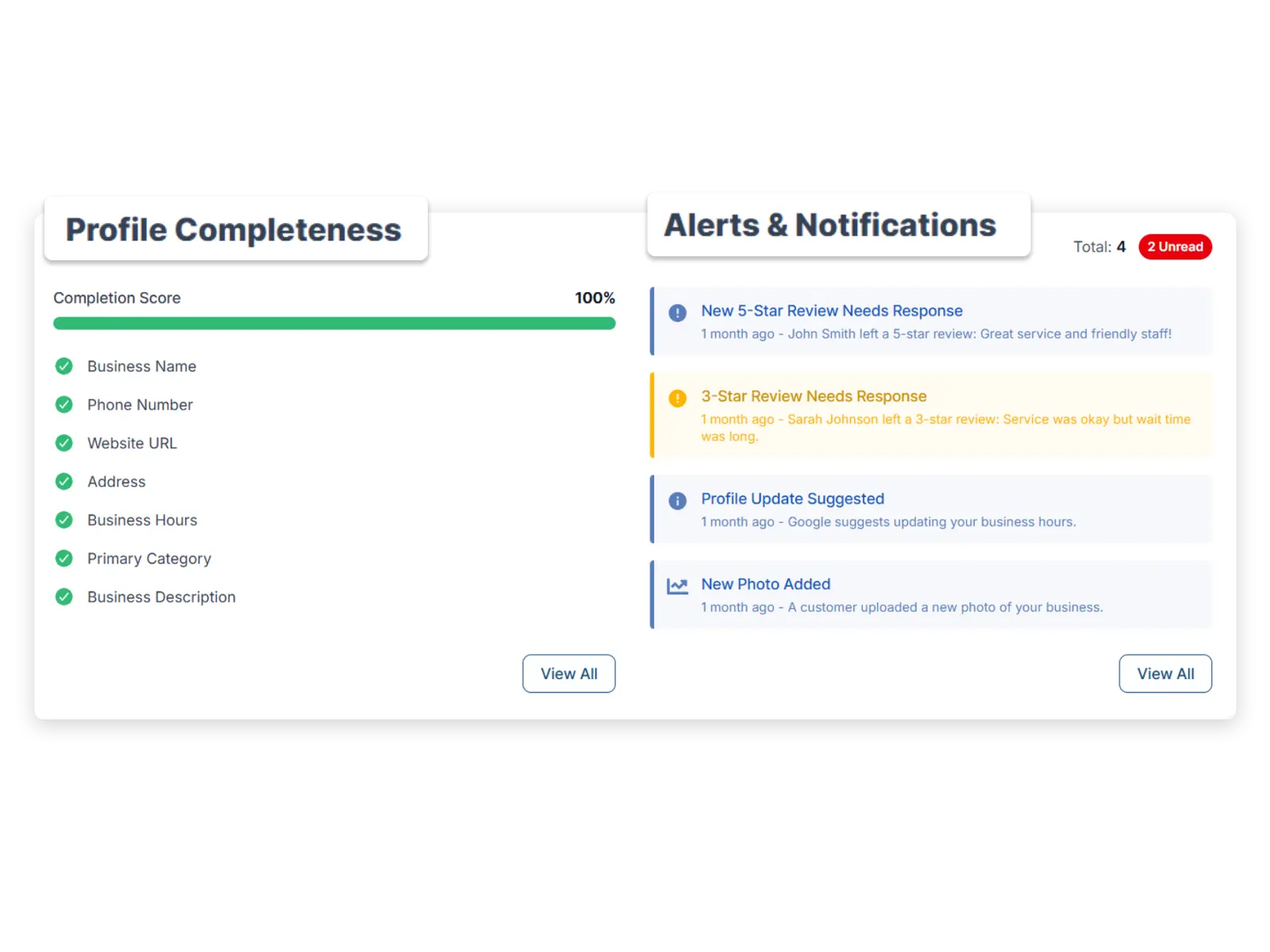
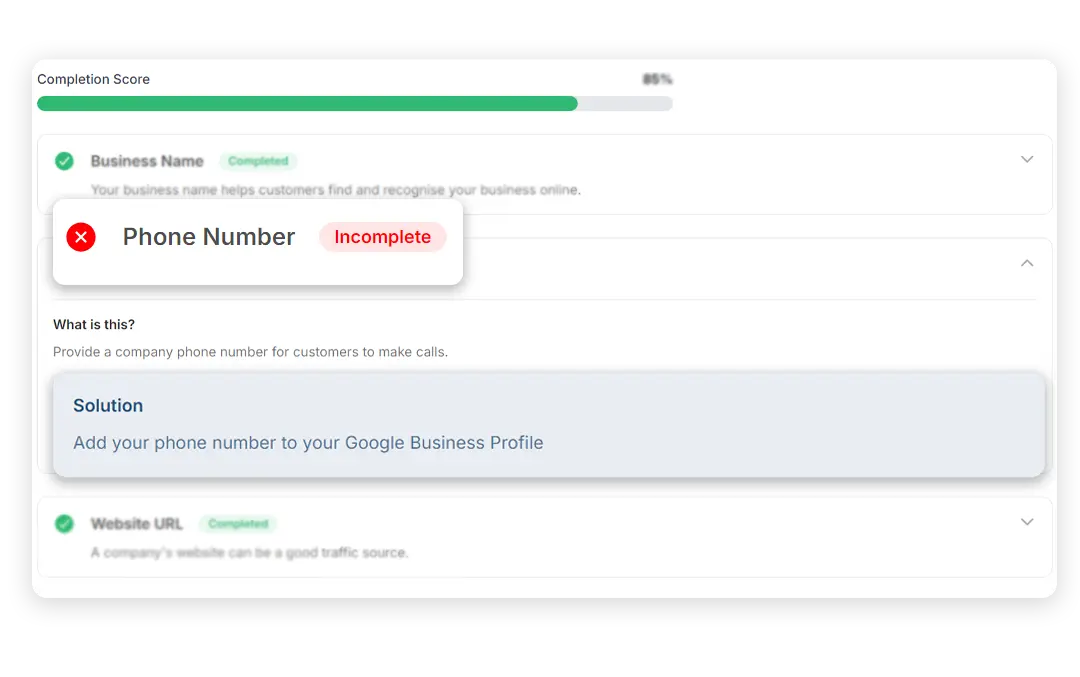
Fields you didn't know were missing
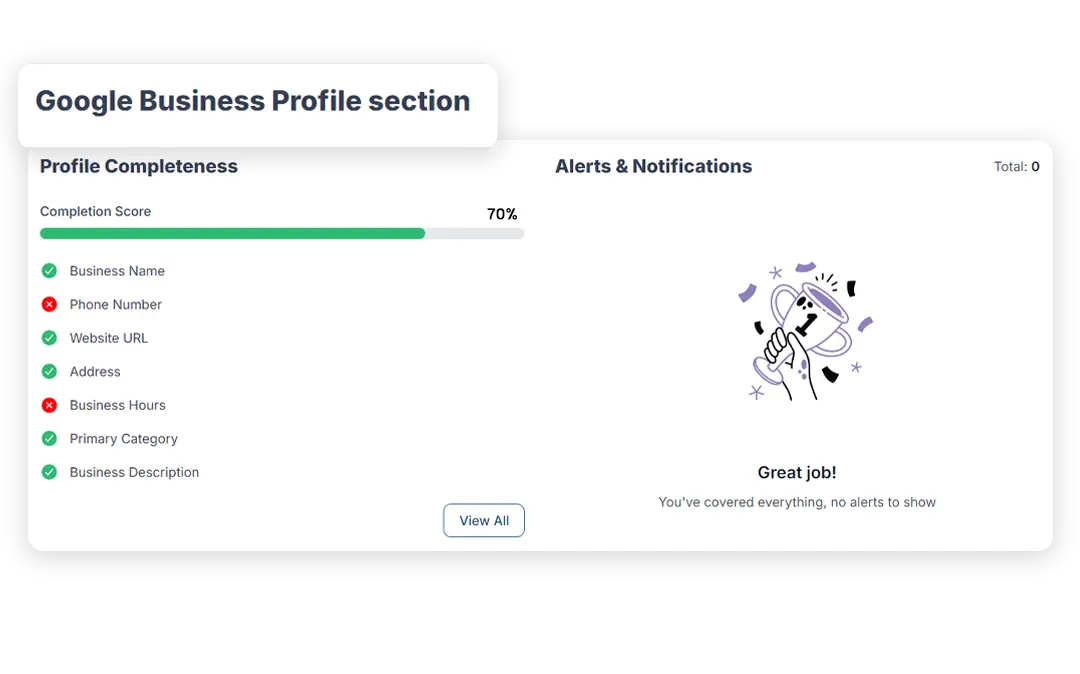
Profile completeness scores every element (hours, description, categories, attributes, photos, products, services) with per-field fix instructions in a highlighted Solution box. Not a percentage. A per-field action list.
Ranking gaps your listing is causing
The categories, attributes, and services you've left unfilled are the signals Google uses to decide whether to show you or your competitor for a given search. The completeness score and your ranking grid are the same problem seen from two angles.
Reviews going unanswered, tracked as a metric
Response rate, response time, and negative review trend are measured with period-over-period changes. Not a vague badge, a number you can watch improve.
Listing changes you never made
Google occasionally auto-edits GBP listings. Update-type alerts fire the moment a field changes (address, category, hours), so you catch unauthorised modifications before they affect your ranking.
Customer action drops you couldn't see
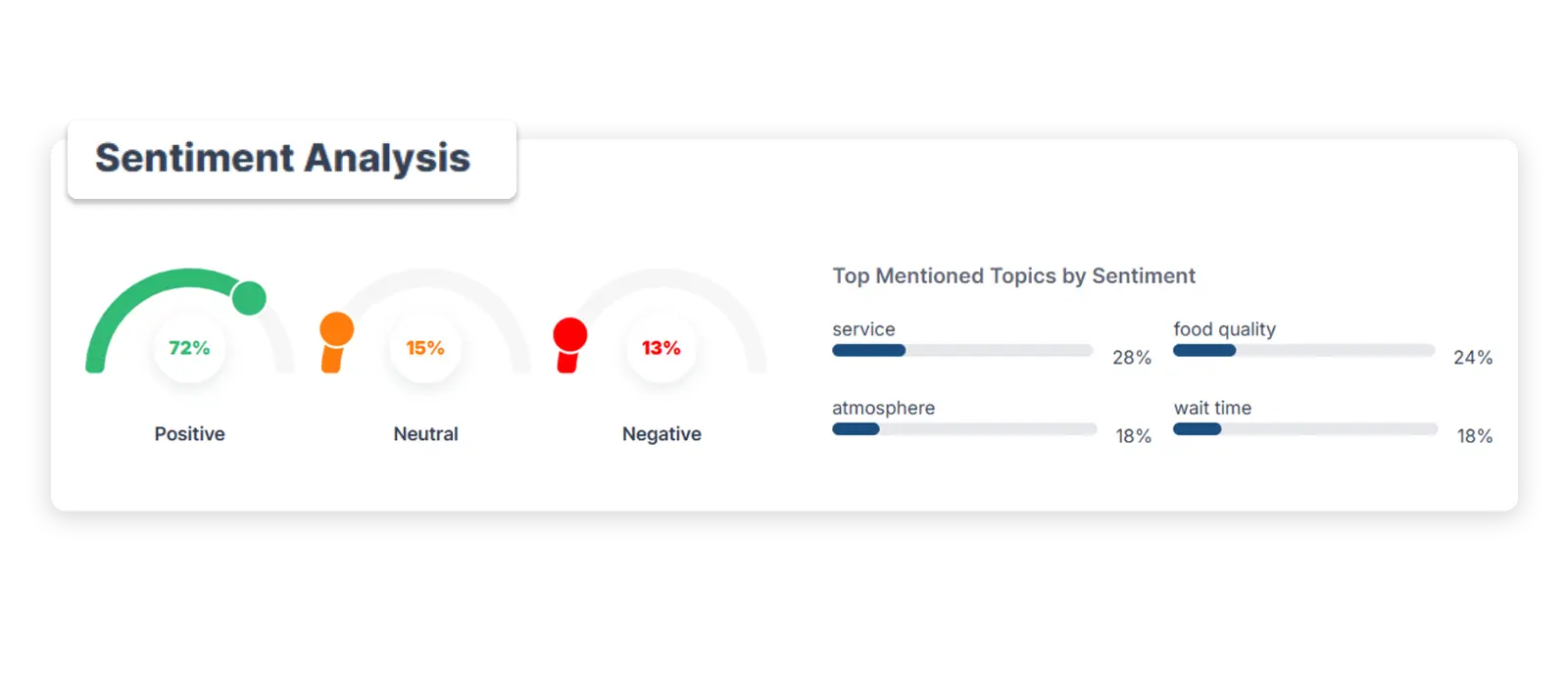
Website clicks, direction requests, phone calls, and messages from your listing, each tracked daily with day-over-day percentage change and a 30-day trend line. A 40% drop in phone calls is not bad luck. It's a signal.
The intelligence is only half Taking action is the other half
This isn't a read-only reporting tool. Everything you discover can be acted on from the same dashboard where you found it, without switching to Google's own interface.
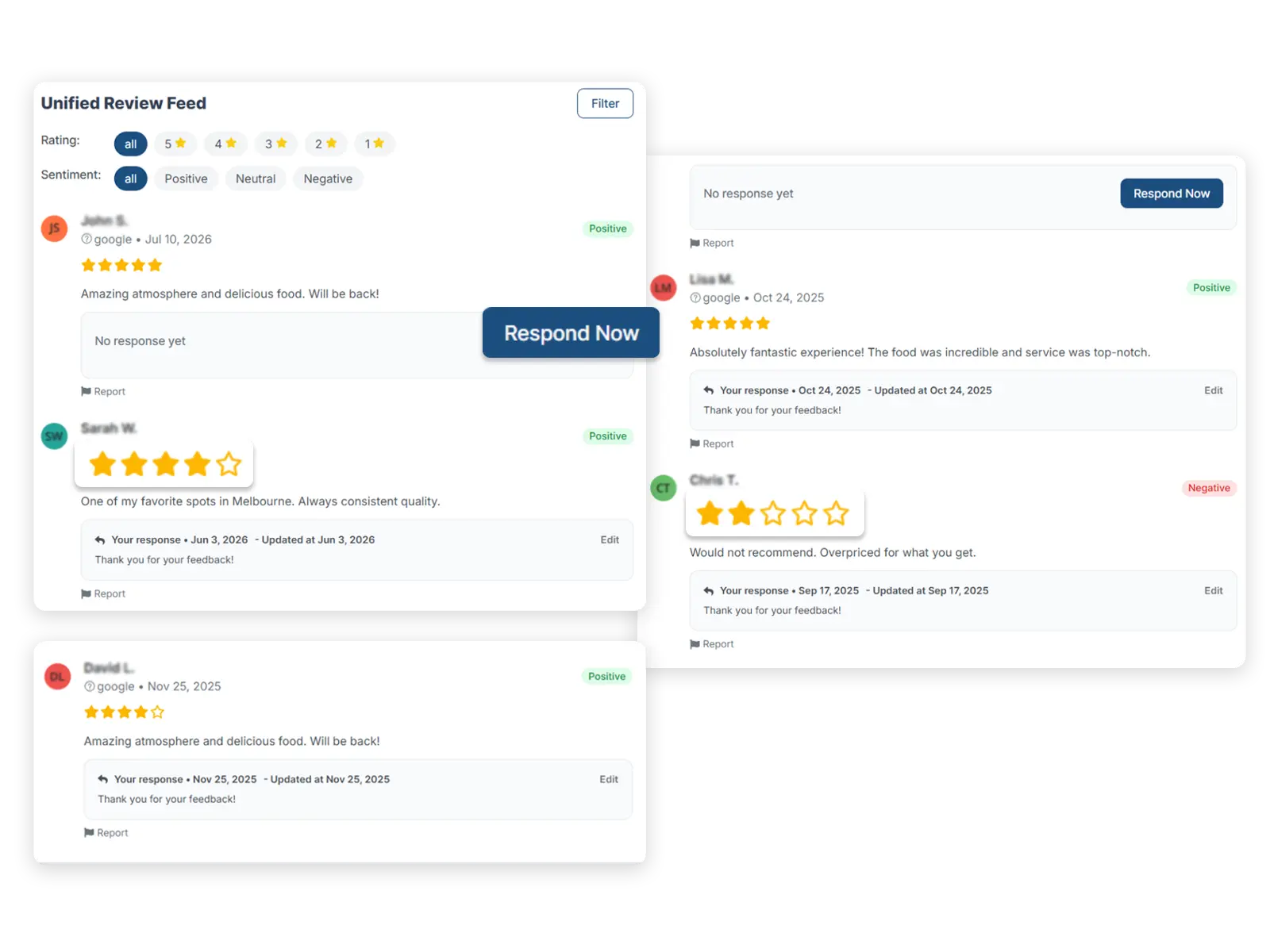
Reply to reviews with AI-drafted responses
The review feed shows every review with its status: Responded or Needs Response. The AI Response system generates a sentiment-appropriate draft for Positive, Neutral, Negative, Questions, or Complaints. Edit, personalise, send. Your response rate goes up.
Create and schedule posts from your dashboard
GBP posts, business events, and scheduled content, created and managed from within the tool. Keep your listing active without switching platforms or logging into Google's own interface.
AI response templates: manage once, use forever
Build a library of response templates categorised by sentiment. Consistent, brand-appropriate, fast, without writing every reply from scratch. Full management: create, edit, duplicate, delete.
What owners find when they see their real local map for the first time
I assumed I ranked well because I showed up at the top when I searched from my own office. What I didn't know was that three suburbs east of us, we didn't show up at all. Seeing that on a map, actually seeing the grey pins, was the moment I understood local SEO for the first time.
The response rate metric changed how we manage reviews. We could see we were responding to only 30% of reviews, taking an average of 4 days. When you see that number tracked over time, you fix it. We're now at a 90% response rate and under 24 hours. Our rating went from 3.8 to 4.6 in five months.
An alert told me my business category had been changed. I hadn't changed it. Google had auto-suggested a modification and someone had accepted it. My main category was gone. I caught it within a day instead of wondering why my rankings dropped for a month.
Frequently asked questions
How does the local rank tracker and ranking grid work?
We lay a matrix of real-world coordinates over your area, from 3×3 up to 15×15, spaced 0.1 to 10 km or miles apart, and check your ranking at every single point independently. Instead of one number for "how you rank", you get a full map showing exactly where you're visible and where a competitor has taken your spot.
What's the difference between local pack and organic rankings?
The local pack is the map and 3-pack block Google shows for local searches; organic is the regular blue-link results below it. We track both separately at every grid point, since a business can rank well in one and be invisible in the other.
Can I see which competitor is beating me at each location?
Yes. Expand any keyword in the Geo-Ranking Breakdown table and the "Local Pack Winners" column shows the exact competitor domain holding the #1 spot at every coordinate where you're not ranking.
How many locations or tracking points can I monitor?
There's no fixed limit. Track unlimited tracking points and switch between them from a single dropdown, or view "All Tracking Points" combined in one table.
What Google Business Profile issues does it catch?
Profile completeness gaps (with per-field fix instructions), unanswered reviews dragging your response rate, listing fields Google changed without your knowledge, and customer action drops (phone calls, direction requests, website clicks) that look like bad luck but are actually a fixable listing problem.
Can I reply to reviews and manage my listing from the dashboard?
Yes. It's read/write, not just a viewer: reply to reviews with AI-drafted, sentiment-appropriate responses, create and schedule GBP posts and business events, and build a reusable library of response templates, all without switching to Google's own interface.
Does this work for service-area businesses with no fixed address?
Yes. Tracking is coordinate-based, not address-dependent. Set any point as your grid centre, whether that's your service area's midpoint, your most common job location, or anywhere else you want to measure from.
See your actual local map in under five minutes
Add your address. Set your grid. Watch the pins appear.
Find out who's winning the blocks around your business and what to do about it.