

AI-Assisted SEO Reporting: Workflow, PDF & Agency Use

 Sep 14,2026
 By SEO ANALYSER
SEO reporting
AI-assisted SEO reporting connects a site's audit, ranking, and traffic data, turns the findings into a plain-language summary, and exports the result as a client-ready PDF report.
Short answer
AI-assisted SEO reporting turns data into a document a client can actually read
SEO reporting with AI tools means connecting a site's audit, ranking, and traffic data to an AI advisor that interprets the findings, drafts a plain-language explanation of what changed and why it matters, and packages the result into an exportable report, typically a PDF, that a client or stakeholder can read without needing to interpret raw charts themselves. The AI drafts; a person still reviews before it goes out. The value isn't that the report looks nicer, it's that someone stops spending two or three hours a month turning numbers into sentences.
Why it matters
The problem AI-assisted reporting is actually solving
Most of the work in a “monthly SEO report” isn't analysis, it's translation. The data itself, clicks, impressions, average position, sessions, is sitting in Search Console and GA4 already. What takes the time is turning a spreadsheet of numbers into three or four sentences a business owner or a marketing manager will actually read: what changed, why it probably changed, and what's being done about it. That translation step is repetitive, it's the same reasoning pattern applied to different numbers every month, and it's exactly the kind of task an AI advisor can draft a first pass of when the team already practices data-driven SEO.
This matters more once a team is producing that translation for more than one account. A single in-house marketer writing one monthly update can absorb the two hours it takes. An agency account manager writing the same update for fifteen clients is looking at a full week of work that produces nothing new, just the same explanation pattern typed out fifteen times with different numbers. That's the gap AI-assisted reporting closes: not the thinking, but the repetition.
Workflow
How an AI-assisted SEO reporting workflow runs
The mechanics are consistent across most platforms that offer this, even though the interface differs. Five steps, each one solving a specific point where manual reporting usually breaks down:
-
01
Connect the data sources
Google Search Console and GA4 for search and traffic, including engagement metrics such as bounce rate in GA4, plus a site crawl for technical and on-page findings. The report is only as good as what is connected; a report built from crawl data alone can't explain a traffic change, and a report built from GA4 alone can't tell which query drove it. Most of the value in this step is simply making sure the right accounts and properties are linked before the first report ever runs, since a wrong property or a stale connection quietly produces a wrong report every month after.
-
02
Run the audit or comparison period
The platform pulls the current period's findings, rankings, technical issues, traffic, against the previous period or a set baseline, so there is something to report a change against. This is the step that turns a snapshot into a comparison: 1,200 clicks this month means very little on its own; 1,200 clicks against 950 last month, with the pages responsible identified, is something a reader can act on.
-
03
Let the AI advisor interpret the findings
Instead of a raw list of 40 technical issues or a table of keyword positions, the advisor groups related findings, ranks them by likely impact, and drafts a plain-language explanation of what happened and why. It should also flag its own confidence: a clear cause with matching evidence reads differently from a plausible guess with no corroborating data, and a well-built advisor keeps that distinction visible rather than presenting every explanation with the same certainty.
-
04
Review before it goes out
A person checks the drafted explanation against the underlying data, corrects anything the model got wrong or overstated, and adjusts tone for the specific client or stakeholder. This step is not optional. A model can correctly describe what a metric did while still getting the cause wrong, especially when two things changed in the same period, and a reviewer who knows the account is the only real check on that.
-
05
Export and share
The reviewed report is exported as a PDF, and either sent manually or scheduled to go out on a recurring cadence. At this point the report exists as a standalone document, useful precisely because the reader doesn't need platform access or login credentials to see it.
Worked example
What this looks like on an actual account
Take a small e-commerce client with an organic traffic decline: clicks fell from 1,050 to 890 month over month. The raw data alone, pulled straight from Search Console, shows a decline across several product-category pages and a small rise on the blog. That's the input. Here's roughly how each step of the workflow turns it into something a client reads in under a minute:
- What the platform finds: impressions held steady, average position slipped from 8.2 to 11.4 on the three product-category pages responsible for most of the drop, and a title-tag change was logged on those pages three weeks earlier.
- What the AI advisor drafts: “Organic clicks fell 15% this month, concentrated on three product-category pages where average position dropped from 8.2 to 11.4 following a title-tag update on 12 August. Impressions on these pages were stable, which points to the position change rather than a fall in demand. Recommended action: review the updated titles against the previous versions and consider reverting or refining them.”
- What the reviewer checks: confirms the date of the title change actually lines up with the ranking drop (not just correlated), checks whether anything else changed on those pages in the same window (a site migration, a robots.txt edit), and only then approves the explanation to go out.
- What ships: that reviewed paragraph, sitting at the top of the PDF, with the underlying position and click data as a table or chart directly beneath it.
Notice what the AI advisor didn't do: it didn't just say “traffic went down.” It named the pages, the metric that actually moved, the change that lines up in time, and a next step, then handed that to a person to confirm before it became a claim in a client's inbox.
Report anatomy
What a PDF export and an AI-drafted summary actually contain
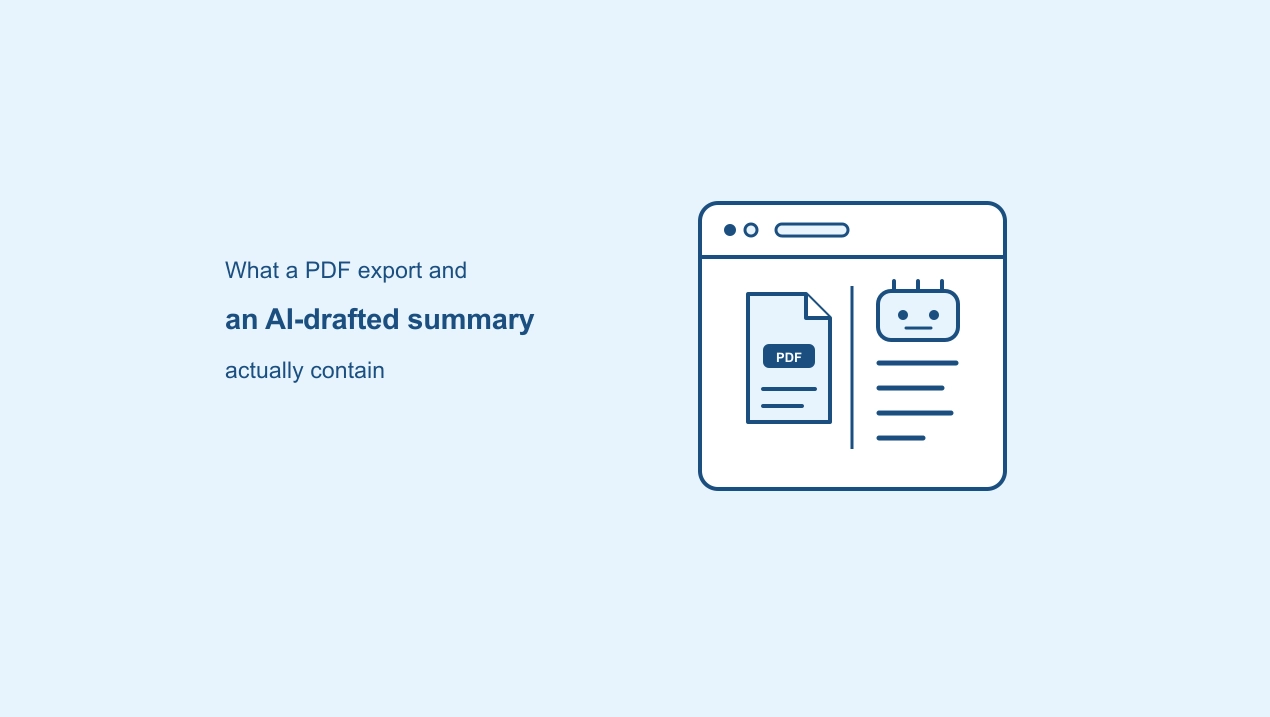
Two separate things get bundled under “AI SEO reporting,” and it helps to keep them apart, because they solve different problems and fail in different ways:
A formatted snapshot of the underlying data, audit scores, ranking positions, traffic figures, generated on demand or on a schedule. This is the document layer: consistent, dated, and shareable outside the platform. It fails quietly if the wrong date range or property gets exported, which is why the date range should always be visible on the document itself, not just implied.
A short, plain-language explanation the advisor writes to sit alongside the numbers, the kind of paragraph shown in the worked example above, so the reader doesn't have to interpret the raw figures themselves. It fails differently: not with a wrong number, but with a confident-sounding explanation that hasn't actually been checked against what else happened on the account that month.
Put together, a client-ready report is usually the AI-drafted summary at the top, explaining what matters and why, followed by the supporting PDF data underneath, so a reader can accept the explanation at a glance or check the working if they want to. That ordering matters: leading with the explanation and following with the evidence respects a busy reader's time without hiding the evidence from someone who wants to dig in.
A drafted summary should state which report and date range it is describing, so a reviewer can verify the claim against the actual data before the document goes to a client. Treat an unreviewed summary as a draft, not a finished report, much like a first draft of client copy from a junior writer.
Agency use cases
How agencies use AI-assisted SEO reporting
The reporting layer matters most at the point where one person is responsible for explaining progress across many client accounts at once. On a single account, writing the monthly update by hand is annoying but manageable. Multiply that by a client roster and the arithmetic changes: the same two hours per account becomes the largest recurring, non-billable time cost on an account manager's calendar, and it's the first thing that slips when a busy week hits.
- Scheduled delivery. A recurring report goes out automatically on a set cadence, monthly or fortnightly, without someone manually rebuilding it each time or remembering which account is due when.
- Per-client consistency. The same underlying workflow produces a report for every account, so quality doesn't depend on which team member happened to write it up that month, or how much time they had left in their week.
- Faster ad-hoc answers. When a client asks why traffic dropped last week, an AI advisor connected to that account's SEO traffic analytics can produce a first-pass explanation immediately, rather than waiting for the next scheduled report cycle or an analyst having to pull the numbers fresh.
- Onboarding new team members faster. A junior account manager reviewing an AI-drafted explanation against the data is learning the same diagnostic pattern (what moved, why, what's the evidence) that an experienced analyst would otherwise have to teach one account at a time.
None of this removes the account manager from the relationship. It changes what they spend their time on: less time assembling the explanation from scratch, more time checking it's right and deciding what to say to that specific client about it.
Common mistakes
Mistakes that undermine an AI-assisted report
- Sending a drafted summary without checking it against the date range and property it claims to describe.
- Treating a correlation the model surfaces (a title change, a traffic drop) as a confirmed cause without checking what else changed in the same window.
- Connecting only one data source and then having the report speculate about causes it has no evidence for.
- Reusing the same generic phrasing across every client report, which defeats the point of a plain-language explanation tailored to what actually happened on that account.
- Letting a scheduled report run unattended for months without spot-checking a sample against the raw data.
SEO Analyser
Where this fits in SEO Analyser
SEO Analyser includes a module named SEO Copilot. It supports the same evidence-then-explanation pattern shown in the worked example above when reviewing project findings. PDF and CSV exports are available from the Growth plan; scheduled report delivery is a paid add-on on the Pro plan and included on the Business plan.
Frequently asked questions
AI-assisted SEO reporting FAQs
Can an AI-drafted summary be sent to a client without review?
It shouldn't be. Treat it as a first draft: check it against the underlying data and adjust for tone before it goes out, much like a junior team member's first pass at a report.
Is scheduled reporting available on every plan?
Not typically. It is commonly gated to higher plans aimed at agencies managing multiple client accounts, since single-site users don't usually need a recurring, automated delivery cadence.
Does an AI report replace a human account manager?
No. It removes the manual work of assembling and writing up the report, but interpreting a client's specific goals, handling questions, and making strategic calls still needs a person.
What data should feed the report?
At minimum, Search Console and GA4 for search and traffic context; add a site crawl and, where relevant, local or AI-visibility data so the report can explain more than one type of change.
What stops the AI from overstating a cause?
Review before sending, every time, and specifically check whether more than one thing changed in the reporting period. A model will describe the most obvious correlated change as the cause unless a reviewer checks for competing explanations.
Can the same report format work for a one-page brochure site and a large e-commerce store?
The workflow scales, but the content shouldn't be identical. A small site's report might be almost entirely rankings and traffic; a large store's report needs to separate product-page issues from category-page issues, which is a heavier interpretation task for the advisor and a heavier check for the reviewer.
Summary
The workflow is connect, interpret, review, export. AI-assisted SEO reporting is only as useful as the data behind it and the review step in front of it: connect real Search Console, GA4, and crawl data, let an advisor draft the plain-language explanation, check it before it ships, then export it as a PDF, scheduled if it's running across multiple client accounts. Done well, it doesn't replace the analyst's judgement, it removes the repetitive translation work so that judgement gets spent checking the explanation rather than writing the first draft of it.
References
Sources and further reading
- Google Search Console HelpAbout Search Console
- Google Analytics HelpIntroducing Google Analytics (GA4)
- SEO AnalyserData-driven SEO guide
- SEO AnalyserOrganic traffic decline diagnosis
- SEO AnalyserBounce Rate in GA4
- SEO AnalyserTraffic Analytics
- SEO AnalyserSEO Copilot
- SEO AnalyserAI SEO Assistant, Turn Search Data into Prioritised Actions
- SEO AnalyserWebsite Audit
- SEO AnalyserPricing & plans


