

How To Switch Domains Without Losing SEO

 Aug 07,2026
 By SEO ANALYSER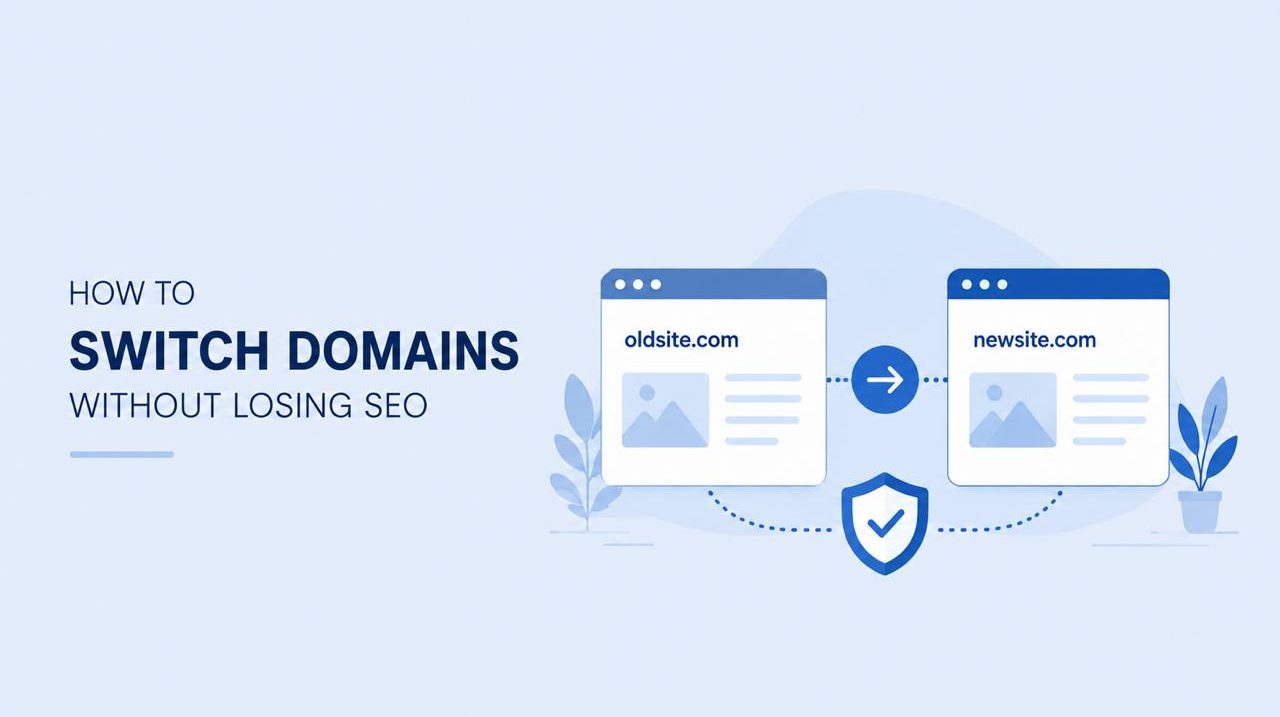
Crawling and indexing
Switching domains? Map every URL, set up 301 redirects, use Search Console's change of address tool and monitor recovery. Full migration guide.
Short answer
Key takeaway
To switch domains without losing SEO, map every URL from the old site to its exact equivalent on the new one, set up permanent 301 redirects for each mapped pair, update your XML sitemap, and add the new domain to Google Search Console using the change of address tool. Most sites see search visibility recover within a few weeks to a few months, depending on the scale of the migration.
Written by Priya Nair, Digital Marketing Analyst & SEO Strategist
Priya Nair is a Melbourne-based digital marketing analyst with six years of experience running data-driven SEO campaigns for agencies and brands across Australia.
Why Switching Domains Puts
Why Switching Domains Puts SEO at Risk
Domain migrations are one of the more common triggers for a temporary ranking dip in the campaigns we manage. A business decides to switch domains for a rebrand, a merger, or simply a better name, and within days organic traffic starts sliding. This isn't inevitable. The evidence points to migration errors, not the domain change itself, as the usual cause of lost visibility.
This guide walks through how to switch domains without losing SEO ground: the planning stage, the technical redirect work, the Google Search Console setup, and the monitoring period that follows. Worth noting here: none of this guarantees a smooth transition. Results depend on site size, how clean your current structure is, and how carefully each step gets executed.
Search engines associate ranking signals with a specific domain. When you switch domains, you're asking Google to transfer years of accumulated trust, link equity, and relevance signals to a new address. That transfer isn't instant, and it isn't automatic just because you've launched a new site.
This matters because search engines need to recrawl and reprocess every changed URL before they update rankings accordingly. A single 301 redirect tells search engines that a page has permanently moved and that ranking value should pass to the new location. Without that signal, Google treats the old and new URLs as unrelated pages, and the ranking history essentially resets.
The risk isn't limited to rankings. Referral traffic from existing backlinks, bookmarked pages, and even paid campaigns pointing at old URLs can all break if redirects aren't handled properly. A website migration touches more than search visibility, which is why planning matters as much as execution.
Review redirects and HTTPS when chains, soft 404s, or mixed protocol issues appear in the crawl.
Map failures and redirects against common HTTP status codes so crawl errors are easier to diagnose.
Run a website audit when you need crawl evidence behind each recommendation.
Plan Your Domain Migration
Plan Your Domain Migration Before You Move
Rushing a domain switch is the most reliable way to lose traffic you didn't need to lose. Before touching any DNS settings, pull a full list of indexed URLs from your current site, along with their current rankings and traffic levels. This becomes your baseline for measuring recovery later.
Next, map each old URL to its new equivalent. In most rebrands, the site structure stays largely the same, so this is usually a straightforward one-to-one match. Where the new site restructures content, be more deliberate: redirect each old page to the new page that best matches its original search intent, not just the closest-sounding title.
It's also worth confirming the new domain's technical setup before launch, including SSL certificates, hosting configuration, and DNS propagation timing. Migrations that go wrong technically tend to compound SEO problems rather than cause them independently, so getting the infrastructure right first reduces the number of variables you're troubleshooting later.
Use the technical SEO guide when you need deeper context for the technical flags in the report.
Set Up 301 Redirects
Set Up 301 Redirects Correctly
This is the part of a domain switch that has the most direct effect on whether rankings survive the move. A domain redirect done well passes ranking signals across cleanly. Done poorly, it either loses that value entirely or creates technical debt that drags on performance for months.
The main choice is between redirect types, and getting this wrong is a frequent cause of migration problems. The table below outlines the differences.
| Redirect type | What it signals to search engines | When to use it |
|---|---|---|
| 301 (permanent) | Page has moved permanently, ranking value should transfer | Domain migrations, permanent URL changes |
| 302 (temporary) | Page has moved temporarily, original URL retains ranking value | Short-term maintenance, A/B testing |
| Meta refresh | Page will redirect after a delay, weaker signal, poor user experience | Rarely recommended for SEO purposes |
For a permanent domain switch, 301 redirects are the correct choice in nearly every case. 302 redirects tell search engines the move is temporary, so ranking value isn't meant to transfer, which is the opposite of what you want when leaving an old domain behind for good.
Example: A Melbourne-based retailer switching from an old domain to a new one might have 400 indexed product and category pages. Each of those URLs needs its own 301 redirect to the matching page on the new domain, not a single blanket redirect to the new homepage. Bulk redirecting everything to one page tells search engines that hundreds of distinct pages have all become the same page, which tends to flatten rankings rather than preserve them.
Avoid redirect chains where an old URL redirects to an intermediate URL before reaching its final destination. Each extra hop adds load time and can weaken the strength of the signal passed through. Where possible, redirect directly from the old URL to its final new URL in a single step.
Update Google Search Console
Update Google Search Console for Both Domains
Search Console setup is often treated as an afterthought, but it's one of the clearer ways to help Google understand what's happened. Verify both the old and new domains as separate properties in Google Search Console, then use the change of address tool from within the old property to formally notify Google of the move.
This step doesn't speed up reindexing dramatically, but it does give search engines a direct signal rather than relying on them to infer the change from redirects alone. Once submitted, keep both properties active. You'll want to compare the old domain's index coverage report against the new one over the following weeks to confirm pages are being deindexed on the old site as they're indexed on the new one.
Submit an updated XML sitemap for the new domain at the same time. This helps search engines prioritise crawling the pages you actually want indexed, which can matter more than usual during a migration when crawl budget is being split across two versions of the same content.
Update Internal Links, Canonical
Update Internal Links, Canonical Tags and Sitemaps
Internal links pointing to old URLs should be updated to reference the new domain directly, rather than relying on redirects to catch every internal click. Every internal link still pointing at the old domain adds an unnecessary redirect hop and slightly dilutes crawl efficiency.
Canonical tags also need updating across the new site so they reference the new domain's URLs. Leaving old canonical references in place can create duplicate content confusion, where search engines aren't sure which domain should actually be indexed. This is a small technical detail, but it's one that's easy to miss when attention is focused on the bigger redirect work.
Monitor Rankings and Traffic
Monitor Rankings and Traffic After the Switch
The weeks following a domain switch usually involve some fluctuation, even when the migration was handled well. A temporary ranking dip is common while search engines reprocess the new URLs and reassign trust signals. That said, your mileage may vary depending on site size, authority, and how quickly search engines recrawl the new domain.
Check your index coverage report in Search Console weekly for the first month after migration, not just your rankings. A ranking drop paired with pages still showing as indexed is a very different problem to a ranking drop paired with pages failing to index at all, and the fix for each is not the same.
Alongside rankings, keep an eye on your backlink profile. External sites linking to your old URLs will still resolve correctly if redirects are in place, but reaching out to update high-value backlinks to point directly at the new domain removes a redirect step and reduces long-term reliance on the old domain staying live indefinitely.
Common Domain Migration Mistakes
Common Domain Migration Mistakes to Avoid
Most SEO losses during a domain switch trace back to a small set of recurring errors rather than anything unpredictable about the process itself. The most frequent issues include:
- Redirecting all old URLs to the new homepage instead of matching equivalent pages
- Leaving the old domain unregistered or unrenewed, which breaks redirects once it expires
- Forgetting to update the sitemap and robots.txt file on the new domain
- Failing to verify the new domain in Google Search Console before launch
- Blocking search engines from crawling the new site with an accidental noindex tag
- Not monitoring server response codes to confirm redirects are actually returning 301 status, not 200 or 404
Each of these is avoidable with a proper pre-launch checklist, which is why the planning stage matters as much as the technical execution that follows it.
How Long Does It
How Long Does It Take to Recover Rankings After a Domain Change?
Recovery timelines vary considerably depending on site authority, the number of URLs involved, and how cleanly the redirects were implemented. Smaller sites with straightforward one-to-one URL mapping often see rankings stabilise within a few weeks. Larger sites with complex structures can take several months to fully settle.
The data supports treating three months as a reasonable checkpoint for assessing whether a migration has gone to plan, rather than expecting full recovery within days of launch.
SEO Analyser
Where Website Audit fits domain migrations
SEO Analyser includes a module named Website Audit. Use it after a cutover to catch broken redirects, orphan pages, and canonical mismatches while Search Console settles.
Frequently asked questions
FAQs
Does switching domains always hurt SEO?
Not necessarily, though some fluctuation is common. A well-planned website migration with correctly mapped 301 redirects and updated Search Console properties tends to preserve most ranking value. Problems usually stem from missed redirects or blocked crawling, not the domain change itself.
How many redirects do I need when I switch domains?
You need one redirect for every indexed URL on the old domain, mapped to its closest equivalent on the new site. Bulk redirecting everything to a single page is a common shortcut that tends to weaken ranking signals rather than preserve them.
Should I use a 301 or 302 redirect for a domain switch?
Use a 301 redirect for any permanent domain change. A 302 signals a temporary move, which tells search engines not to transfer ranking value, making it unsuitable for a permanent domain redirect situation like a full site migration.
How long should I keep the old domain active?
Keep the old domain registered and redirecting for at least twelve months, ideally longer. Letting it expire breaks every existing redirect and any external backlinks still pointing at it, which can undo much of the transferred ranking value.
Will Google Search Console tell me if something's gone wrong?
It's one of the more useful tools for spotting issues early. The index coverage report will show if pages aren't being indexed on the new domain, and comparing performance data between old and new properties helps confirm whether traffic is transferring as expected.
Can I switch domains without losing existing backlinks?
Backlinks pointing to old URLs will still work correctly through 301 redirects, so you won't lose that value outright. That said, reaching out to update high-authority backlinks to reference the new domain directly is worth doing over time.
Summary
Switching domains without losing SEO comes down to preparation and precision rather than any single trick. Map every URL before you move, set up direct 301 redirects rather than blanket ones, update Google Search Console for both properties, and keep internal links and canonical tags pointing at the new domain from day one. The technical detail matters more than most businesses expect going in.
Some ranking fluctuation during the transition is normal and doesn't necessarily indicate a failed migration. What matters is monitoring index coverage and backlink data closely enough to catch genuine problems early, rather than assuming everything will resolve itself. Handled carefully, a domain switch can preserve the vast majority of the SEO value you've already built, and set the new domain up to keep growing from where the old one left off.
References
Sources and further reading
- SEO Analyserredirects and HTTPS
- SEO AnalyserHTTP status codes
- SEO Analysercanonical tags
- SEO Analyserwebsite audit
- SEO Analysertechnical SEO guide




