

Why Breadcrumbs Remain Essential for SEO and User Navigation

 Feb 25,2026
 By SEO ANALYSER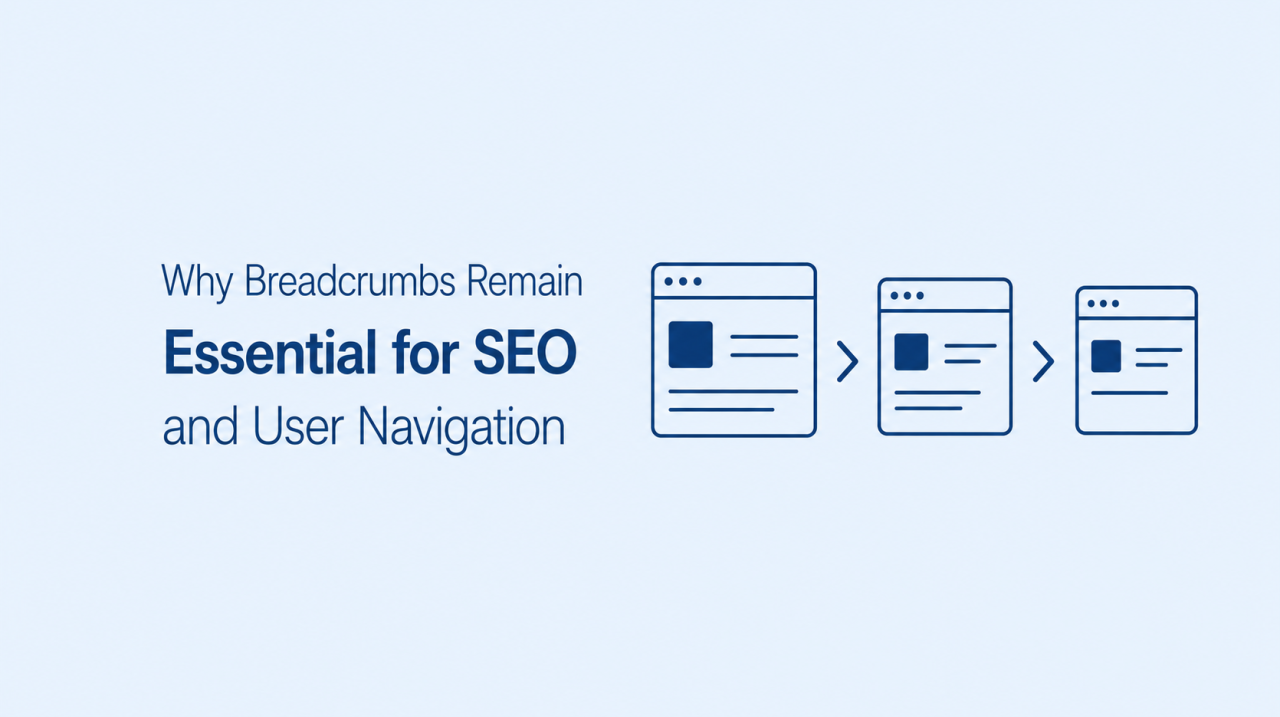
Technical SEO & navigation
Breadcrumbs are small navigation links that show where a page sits within a website. They clarify site structure, strengthen internal linking, and help visitors stay oriented, especially on large or multi-level sites.
Short answer
Breadcrumbs still clarify hierarchy, links, and orientation
Breadcrumbs define how pages relate to categories and sections, add useful internal links up the hierarchy, and give visitors an instant sense of location. They are especially valuable on ecommerce stores, large blogs, service sites, and knowledge bases where users often land deep below the homepage.
SEO support
How breadcrumbs support SEO
Breadcrumbs help define the relationship between individual pages, subcategories and main sections. This creates a more organised internal structure that is easier for visitors and search engines to interpret.
Every linked level in a breadcrumb trail also becomes part of the website’s internal linking system. A product page can link back to its category, while a detailed article can link back to its topic hub. This provides search engines with additional paths for discovering and revisiting important pages.
Clearer website hierarchy
A logical hierarchy helps search engines recognise which pages are broad topics and which pages contain more specific information. Breadcrumbs reinforce this relationship by showing the same structural path directly on relevant pages.
An online footwear store could use the following path: Home > Men’s Footwear > Running Shoes > Trail Running Shoes. This trail shows that the final page is part of the running shoes category, which sits within the broader men’s footwear section. Users receive helpful context, while the site maintains a consistent navigational structure.
Stronger internal linking
Breadcrumbs create relevant links between related levels of the site. These links help users move upwards through the hierarchy and can support the discovery of category or hub pages that might otherwise receive fewer internal links.
This does not mean breadcrumbs should replace contextual links within article copy. They serve a different purpose. Contextual links connect related ideas, while breadcrumbs communicate the page’s location within the site.
More readable search results
Search engines may use breadcrumb information to present a clear page path in search results instead of displaying a long or complicated URL. A concise path can make the result easier to understand before a user clicks.
The displayed breadcrumb also provides context. A searcher can quickly see whether a page belongs to a relevant product category, service area or informational topic.
Mobile experience
Breadcrumbs and mobile user experience
Navigation becomes more challenging on smaller screens because space is limited and large menus may require several interactions. Alongside clear mobile navigation, a concise breadcrumb trail can give mobile visitors a quick route to a parent category without forcing them to reopen the main menu.
However, a desktop breadcrumb should not simply be squeezed onto a narrow screen. Mobile trails need enough spacing for touch interaction and should avoid creating horizontal page overflow. These considerations form part of a wider approach to improving mobile user experience.
Keep mobile trails concise
Long breadcrumb paths can occupy several lines and push the main content further down the page. If the hierarchy contains many levels, less important middle items can be shortened or collapsed while the parent and current page remain clear.
A long desktop path such as “Home > Electronics > Computers > Laptops > Gaming Laptops” could be simplified on a small screen. The design might preserve the parent category and current page while providing access to the full path when needed. That balance is a practical part of mobile UX optimisation.
Use accessible separators and links
Breadcrumb separators should be visually clear but not mistaken for interactive controls. Link text must remain readable, and each link should have enough space to reduce accidental taps.
Colour should not be the only way of identifying linked items. Underlines, spacing and a clear difference between linked levels and the current page can improve usability and support website accessibility.
When to use
When should a website use breadcrumbs?
Breadcrumbs are most valuable when a website contains several meaningful navigation levels. If visitors regularly land on pages located deep within categories, a visible trail can help them move around with less effort.
A small website with only a homepage and a few primary pages may not need breadcrumbs. Adding a trail such as “Home > About” offers little value when the same destination is already obvious in the main menu.
Consider implementing breadcrumbs when:
- Important pages sit two or more levels below the homepage
- Users need to move frequently between parent and child categories
- The website contains a growing content library
- Product filters create complex browsing paths
- Visitors commonly enter through detailed internal pages
Implementation
Breadcrumb implementation best practices
A breadcrumb trail should reflect the real site hierarchy. It should not contain artificial levels created only to insert additional keywords or links. Each item must have a clear navigational purpose.
Use the following principles when planning or reviewing breadcrumbs:
- Place the trail near the top of the main page content
- Keep the order consistent from the homepage to the current page
- Use descriptive labels that match the relevant category or page
- Link parent levels while leaving the current page unlinked
- Use the same breadcrumb structure across similar page types
- Ensure the design works without horizontal page scrolling
- Test link spacing and readability on smaller screens
Breadcrumbs should complement the main navigation rather than replace it. Visitors still need clear menus, search access and relevant contextual links.
FAQs
Breadcrumb FAQs
Do breadcrumbs directly improve SEO rankings?
Breadcrumbs are not a guaranteed ranking shortcut. Their value comes from clarifying site hierarchy, supporting internal linking and helping users navigate related sections. These benefits contribute to a stronger and more understandable website structure.
What is the difference between a breadcrumb path and a breadcrumb trail?
The terms are often used interchangeably. A breadcrumb path describes the sequence of pages within the website hierarchy, while a breadcrumb trail is the visible navigation element that presents this sequence to visitors.
Are breadcrumbs necessary for small websites?
Not always. A small website with a flat structure may gain little from breadcrumbs. They become more useful as the number of categories, subcategories and detailed pages grows.
How many levels should a breadcrumb trail contain?
The trail should include the levels users need to understand the page’s location. There is no fixed limit, but long trails should be simplified carefully on mobile screens to protect readability and prevent crowding.
Should the current page be linked in a breadcrumb trail?
Usually, the current page should appear as the final breadcrumb item without a link. Linking a page to itself does not help navigation and can make the interface less clear.
Do breadcrumbs improve mobile usability?
Yes, when they are designed responsively. A concise breadcrumb trail gives mobile visitors a quick way to reach broader categories. Links must remain readable, touch-friendly and free from horizontal overflow.
Summary
Breadcrumbs remain useful because they clarify website hierarchy, strengthen internal navigation and help users understand where a page sits. They are especially valuable on ecommerce stores, large blogs, directories and other sites with layered content.
The best breadcrumb trails reflect the real site structure, use clear labels and adapt cleanly to mobile screens. When combined with effective menus and contextual internal links, they create a more organised experience for visitors and search engines.
Sources
Sources and further reading
- SEO AnalyserDesign mobile navigation that works in 2026
- SEO AnalyserImproving mobile user experience: UX best practices for SEO
- SEO AnalyserMobile UX optimisation for SEO
- SEO AnalyserDoes website accessibility improve SEO?




